



The Complete Guide to Fiber Internet Installation for Homes and Businesses
Exsersol Inc. explains fiber internet installation. Learn the process, benefits, and expert tips for homes and businesses.

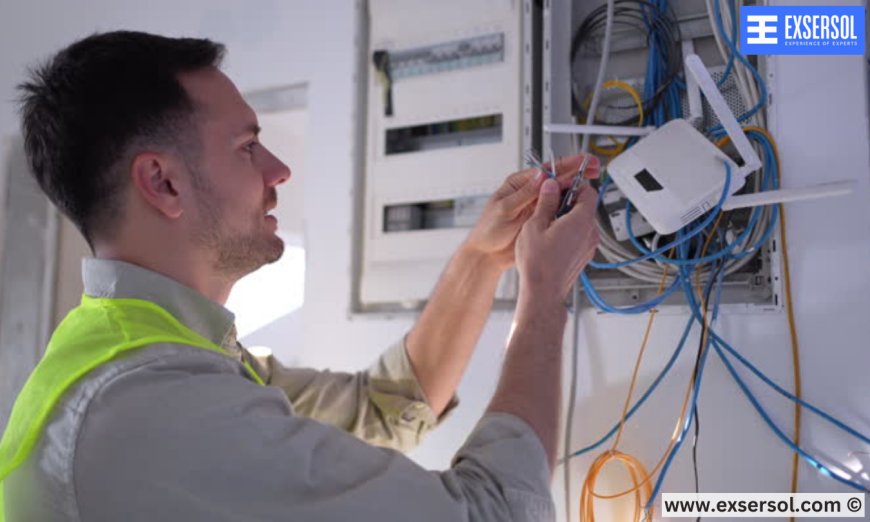
In today’s digital age, fast and reliable internet is essential for homes, businesses, and even smart infrastructure. Fiber optic technology is the gold standard, offering ultra-fast speeds, low latency, and future-proof reliability. More people and organizations are choosing fiber over traditional cable or DSL connections.
At Exsersol Inc., we’ve been providing fiber internet installation, service, and maintenance with professional technicians and proven expertise, ensuring smooth installation and optimal performance. This guide covers everything from preparation to post-installation tips, so you understand the full process.
1. What is Fiber Internet?
Fiber internet uses optical fibers to transmit data as pulses of light. Unlike copper or coaxial cables, fiber can carry large amounts of data at incredible speeds over long distances without degradation.
Benefits of Fiber Internet:
-
Blazing fast speeds – Ideal for streaming, gaming, and video conferencing

-
Low latency – Perfect for real-time communication
-
High reliability – Less affected by weather, electrical interference, or distance
-
Scalability – Supports multiple devices and growing data needs


2. Types of Fiber Internet Installations
A. FTTH (Fiber to the Home) – Fiber runs directly to your house, providing maximum speed and stability.
B. FTTB (Fiber to the Building) – Common in condos and office buildings; fiber reaches the building, then distributes to individual units via Ethernet or coax.
C. Hybrid Fiber-Copper – Fiber reaches a central point, then copper lines deliver to the home or office; slightly slower but still faster than traditional DSL.
3. Pre-Installation Preparation
-
Survey the premises to identify optimal fiber entry points
-
Check equipment compatibility – Routers, modems, and network devices should support fiber speeds
-
Plan internal wiring – Decide where Ethernet ports, routers, and Wi-Fi access points will go
-
Backup important data – While rare, installation may require router resets


4. Fiber Installation Process
Step 1: External Fiber Drop – Technicians bring the fiber line from the ISP network to your home or office.
Step 2: Entry Point and Termination – Fiber enters through a wall or conduit, with a termination box installed to secure it.
Step 3: Optical Network Terminal (ONT) Installation – Converts light signals into digital data your devices can use.
Step 4: Router and Wi-Fi Setup – Modern routers are installed or configured for fiber; Wi-Fi extenders or mesh systems may be added.
Step 5: Testing and Activation – Speed, latency, and reliability tests ensure the system is fully operational.
5. Common Challenges and Solutions
-
Physical Obstacles: Thick walls or large offices may require additional cabling or extenders
-
Equipment Compatibility: Older routers may not handle gigabit fiber speeds
-
Network Congestion: Multi-unit buildings require planning to evenly distribute bandwidth
-
Environmental Factors: Outdoor fiber lines need protection from moisture, rodents, and extreme weather
6. Fiber Internet for Homes
Fiber benefits homes by enabling:
-
Streaming 4K/8K content without buffering
-
Smooth online gaming with minimal latency
-
Smart home devices functioning seamlessly
-
Multiple users online simultaneously without speed drops
7. Fiber Internet for Businesses
Businesses rely on fiber for:
-
Video conferencing and VoIP calls
-
Cloud computing and file transfers
-
Multiple employees using high-speed connections
-
Secure and reliable networks
Exsersol provides custom solutions to ensure uptime, redundancy, and support.
8. Maintenance and Support
Regular checks prevent future problems:
-
Inspect outdoor lines for physical damage
-
Firmware updates for routers and ONTs
-
Network monitoring for businesses
Exsersol Inc. provides ongoing support, repair, and upgrades to ensure uninterrupted service.
9. Cost Considerations
Fiber installation cost depends on:
-
Distance from ISP infrastructure
-
Premises layout and wiring complexity
-
Equipment requirements (ONT, routers, extenders)
Despite the initial investment, fiber pays off with higher speeds, reliability, and reduced downtime.
10. Why Professional Installation Matters
-
Accurate cable routing to avoid damage or interference
-
Proper termination and splicing for maximum speed
-
Network optimization for homes and businesses
-
Expert advice on equipment and future upgrades
DIY fiber installation is highly discouraged—fiber is delicate and precise.
11. Case Study: Office Fiber Upgrade
A tech startup upgraded to fiber with Exsersol Inc. Their previous DSL connection caused lag and interruptions during video conferences. After installation:
-
Download/upload speeds increased 10x
-
VoIP calls were crystal clear
-
Employees experienced reliable network access on all floors
12. Future-Proofing Your Network
Fiber supports growing digital demands of:
-
Smart homes and IoT devices
-
Remote work and teleconferencing
-
Cloud-based business applications
-
Streaming, gaming, and VR
Investing in fiber ensures your home or business stays connected for years to come.
Fiber internet is the fastest, most reliable choice for homes and businesses. Proper installation, professional configuration, and ongoing support ensure you get the most out of this powerful technology.
Exsersol Inc. can help with installation, service, repair, and maintenance of internet, fiber, telephone, and security devices.
Take advice from our experts today. Upgrade to fiber and experience blazing fast, reliable internet.
What's Your Reaction?
 Like
0
Like
0
 Dislike
0
Dislike
0
 Love
0
Love
0
 Funny
0
Funny
0
 Angry
0
Angry
0
 Sad
0
Sad
0
 Wow
0
Wow
0