



Home Networking 101: How to Set Up Routers, Modems, and Wi-Fi Extenders
Exsersol Inc. explains how to set up routers, modems, and Wi-Fi extenders for strong home networking. Learn pro tips from experts.

Your home network is the invisible engine that powers your digital life. Every time you stream a movie, video call a colleague, or check your smart doorbell, your router and modem are working behind the scenes. But here’s the catch: if your home networking setup isn’t done correctly, even the fastest internet package won’t perform at its best.
At Exsersol Inc., we’ve been helping households and businesses with internet, fiber, and telecom installations since 2016. We’ve seen it all—from routers hidden in basements to homes with Wi-Fi dead zones in every corner. In this guide, we’ll cover everything you need to know about setting up routers, modems, and Wi-Fi extenders—with tips from our professional technicians.
1. What is a Home Network?
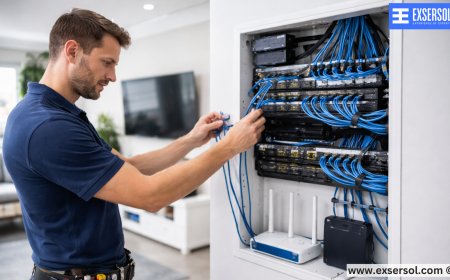
A home network is the system that connects all your devices—smartphones, laptops, TVs, tablets, printers, and smart appliances—to the internet. It usually includes:
-
A modem (connects your home to your ISP’s network).
-
A router (directs traffic between devices and the internet).

-
Wi-Fi extenders or mesh systems (expand wireless coverage).


Think of it like a highway system:
-
The modem is the on-ramp to the internet.
-
The router is the traffic controller.
-
The extenders are extra lanes to avoid congestion.
2. The Modem: Your Gateway to the Internet
What a Modem Does: Converts signals from your internet provider (fiber, cable, or DSL) into a digital connection your devices can use.
Types of Modems:


-
Cable Modems: Used for cable internet (coaxial cables).
-
Fiber Modems / ONTs: Used for fiber internet.
-
DSL Modems: Older, used for telephone line internet.
Pro Tips from Exsersol Technicians:
-
Always use a modem that matches your service type (fiber vs. cable).
-
Replace old modems—technology changes quickly, and outdated devices slow everything down.
3. The Router: The Brain of Your Network
What a Router Does: Distributes internet from your modem to all your devices—both wired and wireless.
Types of Routers:
-
Single-band routers: Basic, limited speed.
-
Dual-band routers: Operate on 2.4 GHz and 5 GHz, balancing range and speed.
-
Tri-band routers: Add another 5 GHz channel, ideal for households with many devices.
Router Placement Tips:
-
Place your router in a central location in your home.
-
Keep it off the floor and away from walls or large furniture.
-
Avoid interference from microwaves, cordless phones, or thick walls.
Router Security:
-
Always set a strong password for your Wi-Fi.
-
Keep firmware updated to protect against hacking.
-
Use WPA3 encryption if supported.
4. Wi-Fi Extenders: Covering Every Corner
Even with the best router, large homes or multi-story houses often have Wi-Fi dead zones. That’s where extenders come in.
Types of Wi-Fi Extenders:
-
Plug-in Extenders: Easy to install, extend signal to nearby rooms.
-
Mesh Systems: Multiple devices working together for seamless coverage.
-
Powerline Extenders: Use electrical wiring to carry signals.
When to Use Extenders:
-
If your router is on one end of the house.
-
If thick walls block Wi-Fi.
-
If you need coverage in the basement or backyard.
5. Step-by-Step Guide: Setting Up Your Home Network
-
Connect the Modem – Plug it into your ISP’s line (fiber, cable, or DSL).
-
Attach the Router – Connect it to the modem with an Ethernet cable.
-
Power Everything Up – Wait for indicator lights to confirm connections.
-
Configure Router Settings – Change default SSID (network name) and password.
-
Place Router Strategically – Choose a central, elevated location.
-
Test Signal Strength – Walk around the house with a phone to spot weak areas.
-
Add Extenders if Needed – Plug in extenders or configure a mesh system.
-
Secure the Network – Enable encryption and hide your SSID if desired.
-
Optimize Performance – Update firmware, use Quality of Service (QoS) settings for gaming or streaming.
6. Common Mistakes People Make
-
Placing routers in basements: Signal can’t travel upward effectively.
-
Ignoring firmware updates: Leaves devices vulnerable to hacks.
-
Overloading old routers: Too many devices overwhelm older models.
-
DIY misconfigurations: Incorrectly set IP addresses can cut off internet entirely.
7. Why Professional Setup Matters
While you can set up your own network, professional installation offers critical advantages:
-
Customized Setup: Technicians optimize based on your home layout.
-
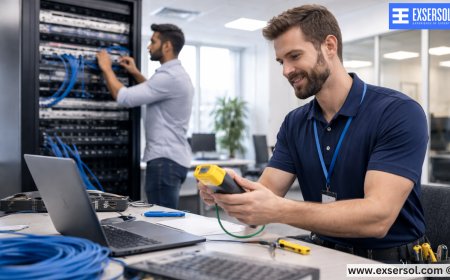
Signal Mapping: Professionals identify dead zones with specialized tools.
-
Integration: Ensures smart TVs, printers, security devices, and VoIP phones all work together.
-
Future-Proofing: Recommendations for routers and extenders that can handle tomorrow’s bandwidth needs.
8. Real-Life Case Study
One family tried to set up their own router. They placed it near the basement furnace, and Wi-Fi barely reached the living room. After weeks of frustration, they called Exsersol Inc. Our technicians repositioned the router, added a mesh extender, and updated their settings. Result: flawless coverage throughout the house.
9. Business Networking
Small businesses also benefit from professional setup:
-
Multiple access points for large office floors.
-
Secure guest networks for clients.
-
Priority bandwidth for VoIP phones or POS systems.
-
Backup internet connections for reliability.
10. Tips for Maintaining a Strong Network
-
Restart your modem and router monthly.
-
Replace equipment every 3–5 years.
-
Monitor bandwidth usage with your router app.
-
Secure your network with strong passwords and encryption.
-
Schedule periodic check-ups with Exsersol technicians.
11. The Future of Home Networking
With fiber internet expanding, home networks will continue to evolve. Smart homes, 4K streaming, and cloud gaming demand professional-grade networking solutions. Investing in the right setup today ensures your home is ready for tomorrow.Your home network is the foundation of your digital lifestyle. Setting up routers, modems, and Wi-Fi extenders correctly makes the difference between constant frustration and seamless connectivity.
Whether you are an ISP, a telecom company, a corporate office, or a homeowner, Exsersol Inc. can help you with installation, service, repair, and maintenance of internet, fiber, telephone, and security devices.
Take advice from our experts today. Get your home network set up right—the first time.
What's Your Reaction?
 Like
0
Like
0
 Dislike
0
Dislike
0
 Love
0
Love
0
 Funny
0
Funny
0
 Angry
0
Angry
0
 Sad
0
Sad
0
 Wow
0
Wow
0