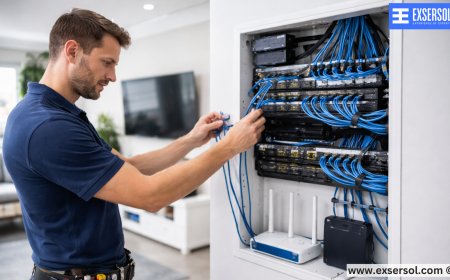





Top Tips for Maintaining Your Home or Office Network
Exsersol Inc. shares essential network maintenance tips for homes and offices to ensure speed, reliability, and security.


A strong, reliable network is the backbone of any modern home or office. With increasing dependency on internet connectivity, smart devices, and cloud-based tools, proper network maintenance is critical to ensure uninterrupted performance. Homes and businesses often face challenges such as slow speeds, dropped connections, and security vulnerabilities.
At Exsersol Inc., we have been installing, servicing, and maintaining networks for years. Our expertise helps residents and businesses optimize their networks for speed, security, and reliability. This guide provides comprehensive tips for maintaining your network to prevent common issues and extend the life of your equipment.
1. Regularly Restart Your Router and Modem
Restarting your router and modem periodically helps:
-
Clear temporary glitches
-
Refresh your network connection

-
Improve performance for connected devices


Many users overlook this simple step, yet it often resolves common slowdowns and intermittent connection problems.
2. Keep Firmware Up to Date
Routers and network devices require firmware updates to:
-
Fix security vulnerabilities
-
Improve speed and stability
-
Enable new features
Exsersol Inc. technicians ensure your network devices are regularly updated, preventing security breaches and maintaining optimal performance.


3. Secure Your Network
Network security is essential for homes and businesses:
-
Use strong, unique passwords for Wi-Fi and admin panels
-
Enable WPA3 encryption if supported
-
Monitor connected devices to detect unauthorized access
-
Consider VPN solutions for remote access
Secure networks prevent cyberattacks, data theft, and slow performance caused by unauthorized users.
4. Optimize Router Placement
Proper placement ensures maximum coverage and speed:
-
Place the router in a central location
-
Avoid thick walls, microwaves, and cordless phones
-
Elevate the router to reduce interference
For large homes or multi-floor offices, consider mesh Wi-Fi systems or additional access points to eliminate dead zones.
5. Monitor Network Usage
Understanding network usage helps prevent congestion:
-
Identify bandwidth-heavy applications
-
Limit streaming or downloads during peak hours
-
Prioritize critical business applications using Quality of Service (QoS) settings
Exsersol Inc. can configure network monitoring tools to ensure smooth performance even with multiple users.
6. Manage Connected Devices
Too many devices connected simultaneously can slow speeds:
-
Disconnect unused devices
-
Use dual-band or tri-band routers to distribute load
-
Separate networks for guests and business operations
Proper device management ensures both homes and offices maintain consistent internet performance.
7. Regularly Inspect Cables and Equipment
Physical issues can disrupt your network:
-
Check Ethernet cables for damage or wear
-
Ensure power adapters and connections are secure
-
Inspect fiber lines or coaxial connections for issues
Exsersol Inc. provides professional inspections to identify problems before they affect your network.
8. Backup Network Configurations
Backing up your router or network settings helps:
-
Restore configurations after a reset
-
Quickly recover from device failures
-
Save time during upgrades or replacements
Cloud backups or local storage can be used depending on your equipment.
9. Consider Professional Maintenance
Professional maintenance offers advantages:
-
Expert diagnosis of slow or unreliable networks
-
Optimized router and network configuration
-
Integration with fiber, internet, and security systems
-
On-going support for issues and upgrades
Professional network maintenance reduces downtime and prevents costly disruptions.
10. Case Study: Office Network Optimization
A marketing firm experienced slow internet and dropped video calls. Exsersol Inc. conducted a network assessment, identifying:
-
Poor router placement
-
Outdated firmware
-
Excessive device congestion
After optimization, the office experienced:
-
Faster and stable speeds across all floors
-
Seamless video conferencing
-
Reduced support calls and interruptions
11. Benefits of Regular Network Maintenance
-
Improved Performance – Faster download and upload speeds
-
Reduced Downtime – Fewer connectivity issues for homes and offices
-
Enhanced Security – Reduced risk of cyber threats
-
Extended Equipment Life – Prevents premature hardware failures
-
Better ROI – Ensures investment in internet and fiber services pays off
Proper network maintenance is critical for both homes and offices. By following these tips, regularly updating devices, and using professional services from Exsersol Inc., you can ensure your network remains fast, secure, and reliable.
Whether you are an ISP, a telecom company, a corporate office, or a homeowner, Exsersol Inc. can help you with installation, service, repair, and maintenance of internet, fiber, telephone, and security devices.
Take advice from our experts today. Keep your network running smoothly and efficiently.
What's Your Reaction?
 Like
0
Like
0
 Dislike
0
Dislike
0
 Love
0
Love
0
 Funny
0
Funny
0
 Angry
0
Angry
0
 Sad
0
Sad
0
 Wow
0
Wow
0