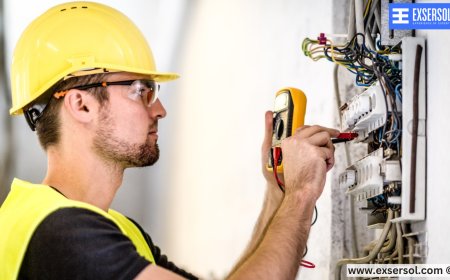





How to Troubleshoot Wi-Fi Issues at Home and Office
Exsersol Inc. shares expert tips to troubleshoot Wi-Fi issues in homes and offices, improving speed, coverage, and reliability.

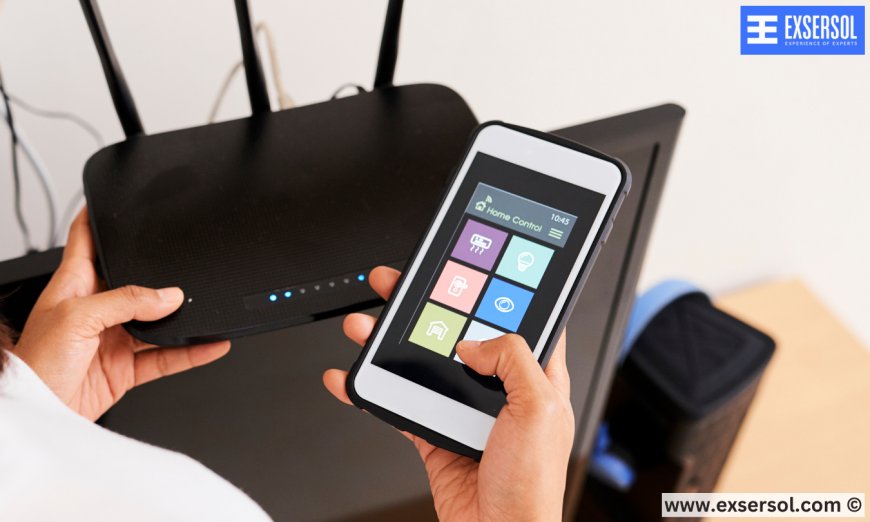
Reliable Wi-Fi is no longer a luxury—it’s essential. Whether for remote work, online classes, streaming, or smart home devices, a weak or intermittent connection can cause serious frustration. Many homes and offices struggle with Wi-Fi issues, but the good news is that most problems can be solved quickly with proper troubleshooting.
At Exsersol Inc., we have been installing, maintaining, and repairing Wi-Fi networks for years. Our technicians have the experience to diagnose problems that are often invisible to everyday users. This guide will walk you through common Wi-Fi issues, troubleshooting steps, and professional solutions.
1. Understanding Your Wi-Fi Network
Wi-Fi is a wireless connection between your devices and your router. The router communicates with your modem, which connects to your ISP (Internet Service Provider). A strong network depends on:
-
Router placement and type
-
Internet speed from your provider

-
Device compatibility
-
Signal interference


Understanding these elements helps you pinpoint the source of your Wi-Fi problems.
2. Common Wi-Fi Problems in Homes and Offices
Slow Internet Speeds – Often caused by outdated routers, limited bandwidth, or network congestion.
Intermittent Connections – Can result from interference by electronics, thick walls, or loose cables.
Dead Zones – Certain rooms or areas receive weak signals due to distance or obstacles.
Device Compatibility Issues – Older laptops or smartphones may not support modern Wi-Fi standards like Wi-Fi 6.
Security and Unauthorized Access – Unwanted devices can consume bandwidth, slowing your connection.
3. Step-by-Step Wi-Fi Troubleshooting
Step 1: Check Your Internet Service – Ensure your internet service is working properly; run a speed test.
Step 2: Restart Your Modem and Router – Power cycling often resolves temporary glitches.
Step 3: Check Physical Connections – Ensure all Ethernet cables are secure and undamaged.
Step 4: Optimize Router Placement – Place your router centrally and away from thick walls or electronics that cause interference.
Step 5: Update Firmware – Keep your router firmware up to date to fix bugs and improve performance.
Step 6: Limit Connected Devices – Too many devices can slow speeds; dual-band or tri-band routers help.
Step 7: Change Wi-Fi Channel – Switching channels can reduce interference in crowded areas.
4. Advanced Troubleshooting Steps
-
Use a Wi-Fi Analyzer – Identify dead zones and interference hotspots.
-
Test Wired Connections – Connect devices directly via Ethernet to isolate Wi-Fi issues.
-
Replace Old Equipment – Routers over 3–5 years old may struggle with modern speeds.
-
Install Wi-Fi Extenders or Mesh Systems – Improve coverage in large homes or multi-floor offices.


5. Troubleshooting Business Wi-Fi
Wi-Fi issues can affect office productivity. Ensure adequate access points, use bandwidth management tools, and secure networks with strong passwords and firewalls. Exsersol Inc. provides enterprise-grade solutions, including installation, configuration, and ongoing maintenance.
6. Preventative Maintenance for Wi-Fi
-
Schedule Regular Check-Ups – Detect problems before they affect performance.
-
Upgrade Equipment Periodically – Keep routers, modems, and extenders current.
-
Monitor Network Usage – Track devices and bandwidth usage.
-
Secure Your Network – Change passwords regularly and enable WPA3 encryption if supported.
7. Case Study: Home Wi-Fi Upgrade
A family complained their Wi-Fi didn’t reach the backyard or upstairs bedrooms. Exsersol Inc. technicians performed a site assessment, installed a mesh system, and repositioned the router. The result: full coverage throughout the home, faster speeds, and happier users.
8. Professional Help vs DIY
While DIY fixes are possible, professional technicians provide accurate diagnosis, advanced configuration, secure networks, and long-term reliability. Exsersol Inc. ensures homes and businesses get professional, future-ready Wi-Fi setups.
Wi-Fi issues can disrupt work, learning, and entertainment. Troubleshooting is the first step, but professional installation and maintenance provide lasting solutions. Exsersol Inc. can help with installation, service, repair, and maintenance of internet, fiber, telephone, and security devices.
Take advice from our experts today and restore strong, reliable Wi-Fi throughout your home or office.
What's Your Reaction?
 Like
0
Like
0
 Dislike
0
Dislike
0
 Love
0
Love
0
 Funny
0
Funny
0
 Angry
0
Angry
0
 Sad
0
Sad
0
 Wow
0
Wow
0